
What's inside
- Why You Need a Timer for Grow Lights
- How to Set Up Timer for Grow Lights: Mechanical vs Digital
- How to Set Up Timer for Grow Lights Comparison Table
- Top Timers for Grow Lights Reviewed
- Buying Guide: How to Choose a Timer for Grow Lights
- Step-by-Step: How to Set Up Timer for Grow Lights
- Frequently Asked Questions
As an Amazon Associate I earn from qualifying purchases. This post may contain affiliate links at no extra cost to you.
Learning how to set up timer for grow lights is one of the most important skills for indoor growing, because plants need a consistent light schedule to grow well. A grow light timer turns your lights on and off automatically at the same time every day, so your plants get the right amount of light and darkness, without you having to remember to switch them on and off. This is essential for herbs, vegetables, seedlings, and houseplants grown indoors, in a grow tent, or on a windowsill.
This guide explains how to set up timer for grow lights, step by step, for mechanical and digital timers, how to choose the right light schedule for different growth stages, and which timers work well in 2026. We focus on practical use for beginners who grow in a grow tent, a closet, or a kitchen, and who want a simple, reliable timer that is easy to set up and safe to use. Whether you grow herbs, microgreens, tomatoes, or houseplants, the same principles apply: choose a timer that matches your lights, set a consistent schedule, and check it regularly.
Our Top Picks
Why You Need a Timer for Grow Lights
You need a timer for grow lights because plants need a consistent photoperiod, which is the number of hours of light and darkness they receive each day. Most leafy greens and herbs grow well with 14 to 16 hours of light and 8 to 10 hours of darkness, while seedlings need 16 to 18 hours of light, and flowering plants need 12 hours of light and 12 hours of darkness. If you turn your lights on and off manually, you will forget, or you will be late, and your plants will get an irregular schedule, which can cause stress, slow growth, and poor flowering.
A timer also saves electricity and protects your lights, because it turns them off when they are not needed, and it lets you run your lights at night when electricity is cheaper in some areas, or during the day when you are away. It also helps you maintain a stable temperature in your grow tent, because lights produce heat when they are on.
How to Set Up Timer for Grow Lights: Mechanical vs Digital
A mechanical timer is a simple timer with a dial and pins or segments that you push down to set on and off times. It is a good choice if you want a simple, reliable timer that is easy to set up, with no batteries or programming needed. To set a mechanical timer, plug it into a wall outlet, set the current time by turning the dial, push down the pins for the hours you want your lights on, plug your grow light into the timer, and turn the timer to the on position. A mechanical timer is usually accurate to within 15 to 30 minutes, which is enough for most plants.
A digital timer is a more precise timer with a digital display, buttons, and programs that let you set multiple on and off times per day, and different schedules for different days of the week. It is a good choice if you want precise control, if you want to set a different schedule for weekends, or if you want a timer with a battery backup that keeps the time during a power outage. To set a digital timer, plug it in, set the current time and day, program the on time and off time, set the timer to auto mode, and plug your grow light into the timer. A digital timer is usually accurate to within 1 minute, which is better for flowering plants that need a precise 12/12 schedule.
How to Set Up Timer for Grow Lights Comparison Table
| Model | Type | Programs | Max Load | Battery Backup |
|---|---|---|---|---|
| BN-LINK 7 Day Digital Timer | Digital, 7-day | 8 on/off per day | 15A, 1875W | Yes |
| Century 7 Day Heavy Duty Digital Timer | Digital, 7-day | 8 on/off per day | 15A, 1875W | Yes |
| DEWENWILS 7 Day Digital Timer | Digital, 7-day | 8 on/off per day | 15A, 1875W | Yes |
| BN-LINK Short Period Repeat Cycle Timer | Digital, repeat cycle | Repeat on/off, seconds to hours | 15A, 1875W | Yes |
| GE 7-Day Digital Timer 15075 | Digital, 7-day | 7 on/off per week | 15A, 1875W | Yes |
| Titan Controls Apollo 9 Digital Timer | Digital, 24-hour | 1 on/off per day | 15A, 1800W | Yes |
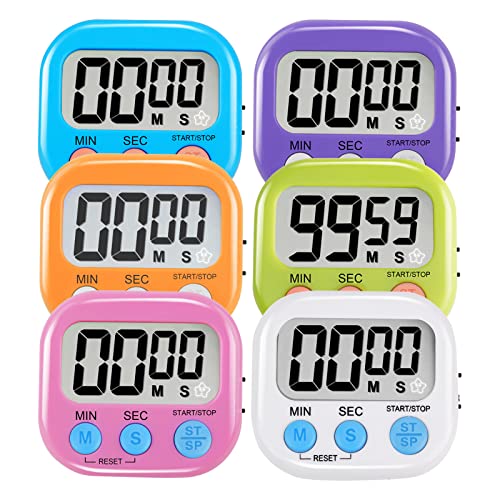
6 Pack Multi-Function Electronic Timer - Magnetic Digital Timers Big LCD Display the Loud/Silent Switch Countdown Timer Extensively Use in Break Time, Cooking,Gym, Meeting, Classroom
As an Amazon Associate we earn from qualifying purchases. Product prices and availability are accurate as of the date/time indicated.

Digital Kitchen Timer, Magnetic Large Display for Cooking & Classroom | 99-Min Countdown & Count Up Timer, Adjustable Brightness & Volume, Battery Powered, For Teachers, Kids, Baking & Study
As an Amazon Associate we earn from qualifying purchases. Product prices and availability are accurate as of the date/time indicated.

PERSUPER Kitchen Digital Timer, Count Down Up, Rechargeable, Vibration Mode | Adjustable Volume and Brightness LED Display, Time Management Cook, Desk, Kids Adults Study Teaching, Kitchen Gadgets RGB
As an Amazon Associate we earn from qualifying purchases. Product prices and availability are accurate as of the date/time indicated.
Top Timers for Grow Lights Reviewed
BN-LINK 7 Day Digital Timer
The BN-LINK 7 Day Digital Timer is a popular digital timer with 8 on/off programs per day, a maximum load of 15A, and a battery backup. It has a simple, easy-to-use interface, with a large display, and it is a good choice if you want a reliable, affordable timer for grow lights, with a 7-day schedule. It is popular with indoor growers who want a timer that is easy to program and easy to use.
Century 7 Day Heavy Duty Digital Timer
The Century 7 Day Heavy Duty Digital Timer is a digital timer with 8 on/off programs per day, a maximum load of 15A, and a battery backup. It has a heavy-duty design, a simple interface, and it is a good choice if you want a timer for a larger grow light, or for multiple lights on a power strip. It is a practical option for beginners who want a durable timer.
DEWENWILS 7 Day Digital Timer
The DEWENWILS 7 Day Digital Timer is a digital timer with 8 on/off programs per day, a maximum load of 15A, and a battery backup. It is affordable, easy to program, and a good choice if you want a cheap, reliable timer for grow lights. It is popular with growers who want a simple timer that works well and does not cost a lot.
BN-LINK Short Period Repeat Cycle Timer
The BN-LINK Short Period Repeat Cycle Timer is a digital timer that lets you set repeat on/off cycles, from seconds to hours, with a maximum load of 15A. It is a good choice if you want a timer for a fan, a pump, or a light that needs to turn on and off repeatedly, such as a cloning light or a misting system. It is a practical option for growers who want more control than a standard 7-day timer.
GE 7-Day Digital Timer 15075
The GE 7-Day Digital Timer 15075 is a digital timer with 7 on/off programs per week, a maximum load of 15A, and a battery backup. It has a simple, reliable design, and it is a good choice if you want a timer from a trusted brand, with a straightforward interface. It is a practical option for beginners who want a timer that is easy to set up.
Titan Controls Apollo 9 Digital Timer
The Titan Controls Apollo 9 Digital Timer is a digital timer with 1 on/off program per day, a maximum load of 15A, and a battery backup. It is designed specifically for grow lights, with a heavy-duty design and a simple interface. It is a good choice if you want a timer made for indoor growing, with a reliable, durable design. It is more expensive than other timers, but it is worth it if you want a timer built for grow rooms.
Buying Guide: How to Choose a Timer for Grow Lights
Start with type and programming. For most beginners, a 7-day digital timer is the best choice, because it lets you set a consistent schedule, with 8 on/off programs per day, and different schedules for different days. A mechanical timer is simpler, but it is less precise and harder to program for a 12/12 flowering schedule. A repeat cycle timer is useful if you need short on/off cycles, but it is not needed for most grow lights. Choose a timer that is easy to program, with a clear display and simple buttons.
Next, check maximum load and safety. Look for a timer with a maximum load of at least 15A, or 1875W, which is enough for most LED grow lights, which use 100 to 600 watts. Do not overload your timer, and do not plug a power strip with many lights into a timer that is rated for less than your total wattage. Check that the timer is UL listed, with a grounded outlet, and that it has a battery backup, so it keeps the time during a power outage. A timer without battery backup will lose its settings if the power goes out.
Check light schedule for your plants. For seedlings and leafy greens, set your timer for 16 to 18 hours of light and 6 to 8 hours of darkness. For herbs and vegetables in vegetative growth, set your timer for 14 to 16 hours of light and 8 to 10 hours of darkness. For flowering plants, set your timer for 12 hours of light and 12 hours of darkness, with no light leaks during the dark period. Use a timer to maintain the same schedule every day, and do not change it suddenly, because it can stress your plants.
Consider number of outlets and placement. A timer with 1 outlet is enough for a single grow light, while a timer with 2 outlets is better if you have two lights, or a light and a fan. A timer with a short cord is easier to place near your grow tent, while a timer that plugs directly into a wall outlet is more compact. Place your timer in a dry place, away from water, and do not cover it with fabric or plastic, because it needs ventilation. Check your timer regularly to make sure it is working correctly.
Finally, set a realistic budget. Do not buy a timer based only on price. Choose one that is safe, easy to program, and has a battery backup.
Step-by-Step: How to Set Up Timer for Grow Lights
Plug your timer into a wall outlet, set the current time and day, and program the on time and off time for your plants. For example, set your lights to turn on at 6am and off at 10pm for a 16-hour schedule. Set the timer to auto mode, plug your grow light into the timer, and turn the light switch to on. Check that the light turns on and off at the correct times, by watching it for a day, or by setting a test schedule for a few minutes. Adjust the schedule as needed for your plants, and check your timer weekly to make sure the time is still correct.
Frequently Asked Questions
How many hours should grow lights be on?
For most indoor plants, grow lights should be on for 12 to 18 hours a day, depending on the growth stage. Seedlings need 16 to 18 hours of light, leafy greens and herbs need 14 to 16 hours, and flowering plants need 12 hours of light and 12 hours of darkness. Use a timer to maintain a consistent schedule, and give your plants at least 6 hours of darkness, because plants need darkness to rest and grow properly. Do not leave grow lights on for 24 hours, because it can stress most plants.
Can I use a regular timer for grow lights?
Yes, you can use a regular digital or mechanical timer for grow lights, as long as it can handle the wattage of your lights, usually 15A or 1875W, and it has a battery backup. A regular timer from a hardware store, such as the BN-LINK or GE timer, works well for grow lights. A timer made specifically for grow rooms, such as the Titan Controls Apollo 9, is also a good choice, but it is not required. Avoid a timer that is rated for less than your lights’ total wattage, because it can overheat and be a fire risk.
What happens if my timer loses power?
If your timer loses power and it has a battery backup, it will keep the time and your programs, and it will resume the schedule when power returns. If it does not have a battery backup, it will lose the time and your programs, and you will need to reprogram it. Choose a timer with a battery backup, and check it regularly, especially after a power outage. If your timer loses power for a long time, your plants may get an irregular light schedule, which can cause stress, but they will usually recover if you restore the schedule quickly.
Should grow lights be on at night or during the day?
Grow lights can be on at night or during the day, depending on your schedule and your electricity costs. Many growers run their lights at night, when electricity is cheaper and when it is cooler, to save money and to keep the grow tent temperature stable. Others run their lights during the day, to mimic natural sunlight. Choose a schedule that is convenient for you, and that gives your plants a consistent light and dark period. Use a timer to maintain the same schedule every day, and avoid light leaks during the dark period for flowering plants.
Related guides
- Best Carbon Filter for Beach Homes in 2026: 6 Best Carbon Filter for Beach Homes Picks, Filters, and Easy Odor Control
- How to Set Up LED Light for First Time in 2026: How to Set Up LED Light for First Time Guide, Lights, and Easy Indoor Growing
- Best Value Timer Under 100 Dollars in 2026: Best Value Timer Under 100 Dollars, Value Grow Timers, and Best Timers for Grow Tents Under $100
- How to Choose Grow Tent Accessories in 2026: 7 Best Grow Tent Accessories for How to Choose Grow Tent Accessories With Clear Accessories, Simple Use, and Easy Use for How to Choose Grow Tent Accessories
More from Amazon
Programs that pair well with the guide above. Offers and eligibility are set by Amazon and may change.
Free shipping on eligible items, Prime Video and more. Eligible new members can start with a free trial.
Start a Prime free trialAudiobooks and podcasts to listen to on the go. Eligible new members can start with a free trial.
Try Audible freeAd-free music streaming. Eligible new subscribers can start with a free trial.
Try Music Unlimited freeA free business account with business pricing and bulk-buying tools for work, shop or home office.
Create a business accountAs an Amazon Associate we earn from qualifying purchases.

Write Your Review
No reviews yet. Be the first to share your experience!